

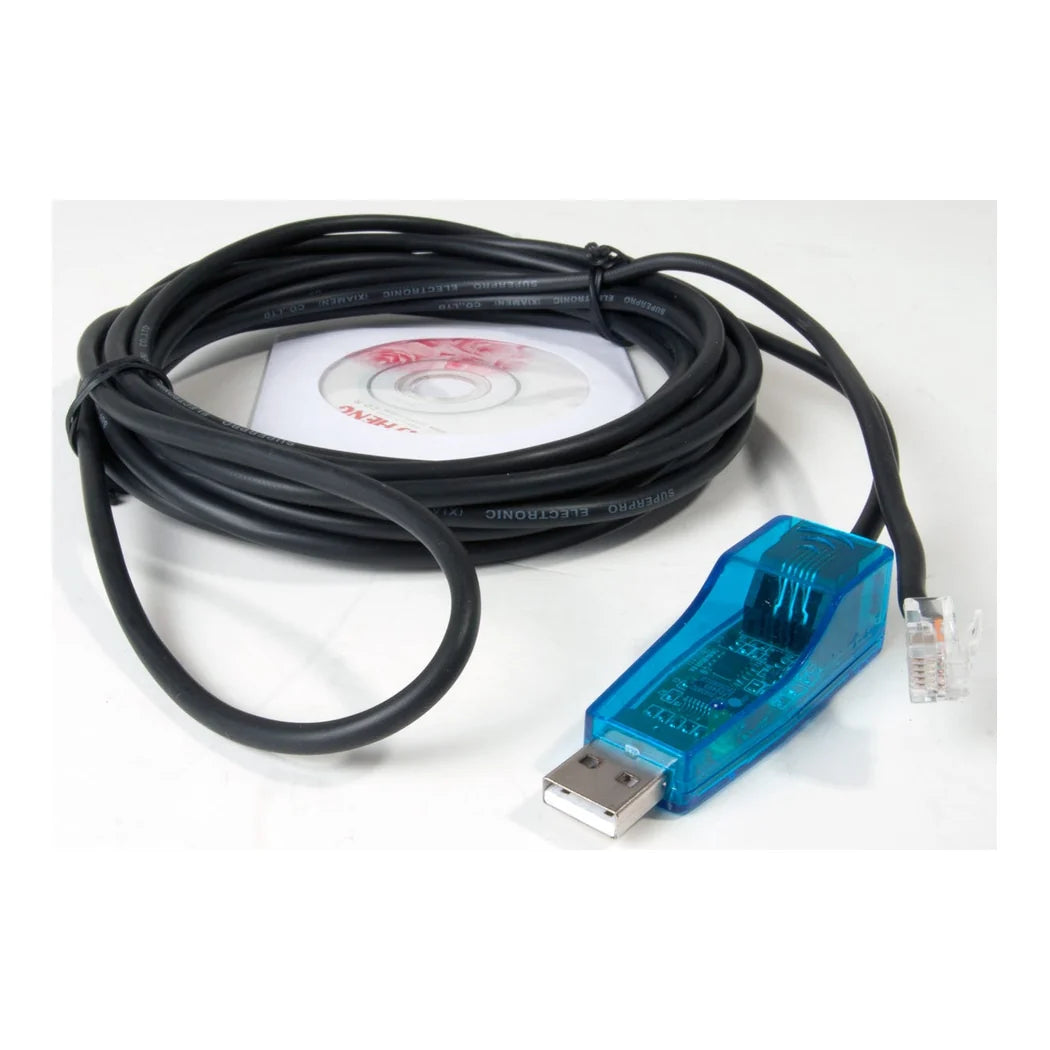
What the Autopilot Internet Cable and Software Kit Connects
The kit is for one controller, the Autopilot Greenhouse Master APCECOTH, and it does one thing: it puts that controller on a PC. In the box is the data cable that runs from the controller's communication port to the computer, with an adapter for a USB port. The Remote Monitoring Software that reads it comes with the cable. The software runs on a Windows PC or laptop. Autopilot is clear that it is not for Mac and not for phones. Once connected, the program shows the controller's current settings on screen and lets the grower change them from the keyboard. It shows what the controller is doing in real time, which outlet is live and what the probe is reading for temperature, humidity and CO2. That live stream can be logged. The Greenhouse Master keeps no history of its own, so the computer is where the record lives, saved by hand or on an auto-save interval. Logged data charts inside the program and exports as raw rows for a spreadsheet, which is how a grower finds the humidity spike at 3 a.m. that the room never shows at 9. The one setting that stays on the controller's own keypad is the CO2 fuzzy logic mode. The kit also carries part number APCEIC, UPC 638104009041, and it ships at a quarter of a pound. The cable and the software are the whole product. The controller, the probe and the computer are the grower's own.
Putting a Greenhouse Master Controller PC Link to Work
A greenhouse master controller PC link is a logging tool first and a remote control second, and it pays to set it up that way. Give it a computer that stays on. A laptop that sleeps at midnight stops the log at midnight. The hours a grower most wants to see are the ones nobody is in the room. Turn off sleep and automatic restarts on that machine, and plug it into a surge strip rather than the same circuit as the ballasts. Run the cable away from HID ballasts and the lamp cords. Serial data is low voltage, and a cable tied to a ballast lead picks up enough noise to drop the connection. Install the software, plug the adapter into a USB port, and let Windows find it before opening the program. Set auto-save from the first day so the record exists whether or not anyone remembers to click. Export a week of data to a spreadsheet and look at the overnight humidity line, since that line is the reason to own the kit. Rooms drift when the lights go off. A chart shows the drift as a slope rather than as a single reading taken whenever someone walks in. Reach the room from outside by taking control of that logging computer with any remote desktop program. The controller itself talks only to the computer beside it, so the computer is the doorway. Keep the adapter and cable labelled and together, because a bare serial lead looks like every other lead in a drawer. Change settings through the software during the day and confirm them on the keypad once, until the two agree every time.
Key Features
- For the Greenhouse Master APCECOTH: The data cable and the program that put that controller on a PC.
- Live view and remote settings: See what the controller is doing and change its settings from the keyboard.
- Logging the controller never had: Temperature, humidity and CO2 recorded on the computer, by hand or on auto-save.
- Charts and exports: Plotted in the program and exported as raw rows for a spreadsheet.
- Windows PC or laptop: Not for Mac or phones.
- USB adapter included: The controller's data lead meets a modern laptop.
- A quarter of a pound: Cable, adapter and software.
Technical Specifications
| Specification | Value |
|---|---|
| Brand | Autopilot (Hydrofarm) |
| Part number | APCEIC |
| UPC | 638104009041 |
| For controller | Autopilot Greenhouse Master APCECOTH |
| Contents | Data cable, USB adapter, Remote Monitoring Software |
| Computer | Windows PC or laptop |
| Not compatible | Mac, smartphones |
| Functions | Live monitoring, settings changes, data logging, charting, export |
| Data storage | On the computer; the controller stores no history |
| Shipping weight | 0.23 lb |